> ## Documentation Index
> Fetch the complete documentation index at: https://docs.holacati.com/llms.txt
> Use this file to discover all available pages before exploring further.
# Emotions
> Learn how our assistant conveys emotions
## Face expressions
To make our assistant more conversational, we've integrated face expressions that reflect the feeling of the conversation.
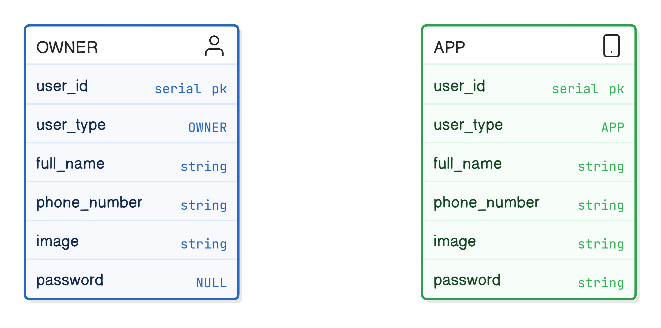
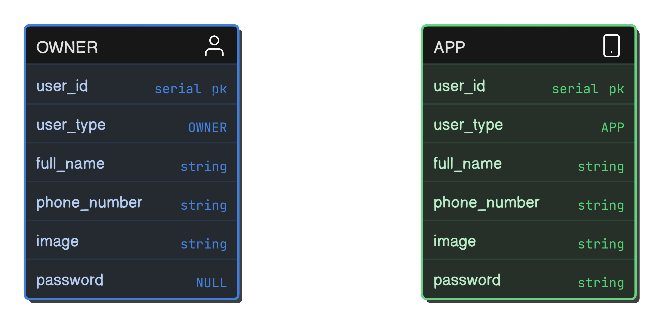 ### Owner
Refers to an assistant owner, the one that owns a Cati device at home.
### App user
Refers to a mobile app user, usually a family member of the `owner`
## User connections
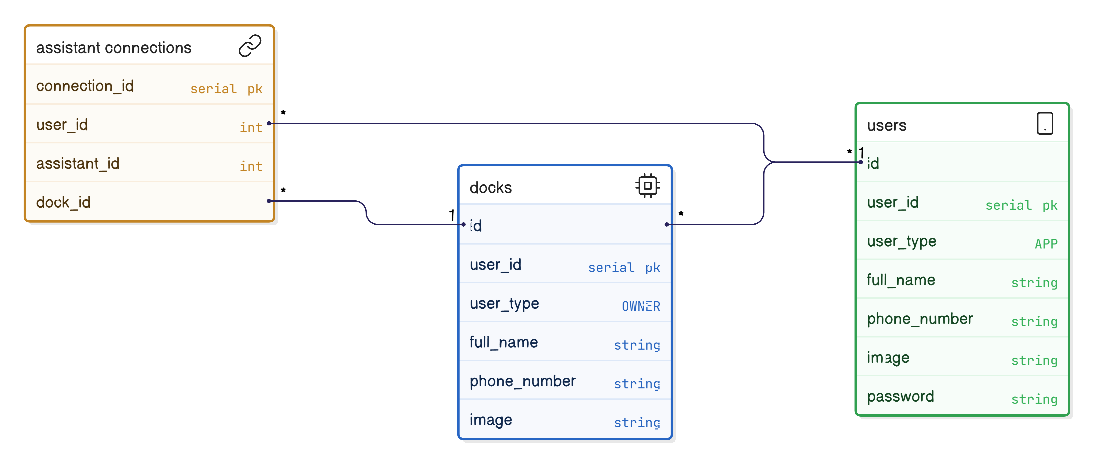
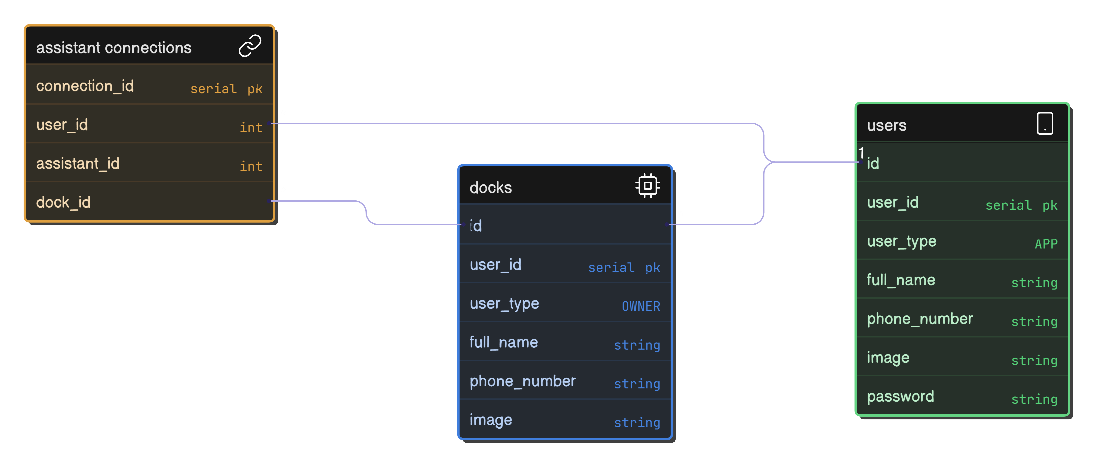
Usually, an `app` user connects to an `owner` device to manage the device. When the app user connects, it will show as a contact to the `owner` device.
An `app` user can be connect to multiple `owners` (for example, a son may connect to the assistant of both of his parents).
An `owner` device can be connected with multiple `app` users (for example, it could connect to multiple family members).
### Owner
Refers to an assistant owner, the one that owns a Cati device at home.
### App user
Refers to a mobile app user, usually a family member of the `owner`
## User connections
Usually, an `app` user connects to an `owner` device to manage the device. When the app user connects, it will show as a contact to the `owner` device.
An `app` user can be connect to multiple `owners` (for example, a son may connect to the assistant of both of his parents).
An `owner` device can be connected with multiple `app` users (for example, it could connect to multiple family members).
 App users are able to view and edit multiple preferences, start and receive videocalls, and send images and audiomessages to the `owner` device.
## Related
Take a deeper look at user authentication and the provess of making a connection.
Learn how users authenticate and establish connections
App users are able to view and edit multiple preferences, start and receive videocalls, and send images and audiomessages to the `owner` device.
## Related
Take a deeper look at user authentication and the provess of making a connection.
Learn how users authenticate and establish connections